Designed for engineers who care about staying in flow without juggling browser tabs.
🔔
Instant push notifications
Get alerted the moment someone comments on your MR, when state changes (merged, closed, reopened), or when a new MR is opened.
📡
Configurable polling
Free tier checks every 60 seconds. Pro unlocks fast polling down to 10 seconds — close to real-time without webhook infrastructure.
🔗
GitLab & GitHub, side by side
Connect both providers on one account and watch merge requests and pull requests together in a single feed. Self-hosted GitLab and GitHub Enterprise Server both supported.
🗂️
Multi-project monitoring
Watch MRs across any number of projects simultaneously. Browse and select projects directly from the app — no IDs to look up manually.
✅
Approval tracking
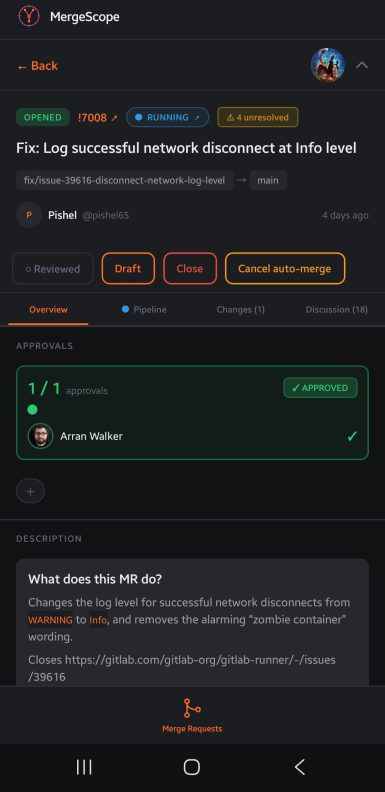
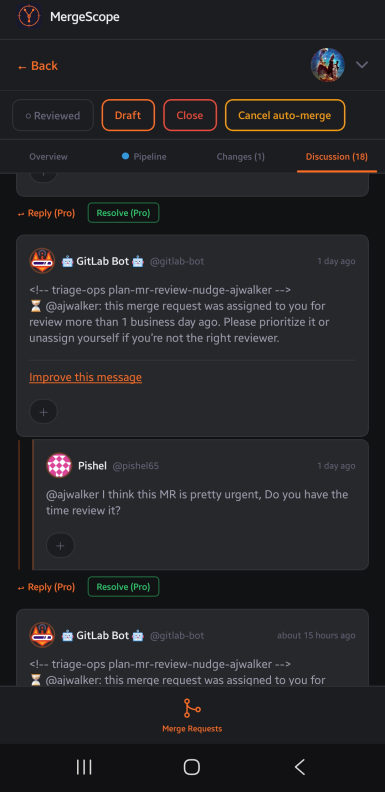
See exactly how many approvals an MR has and who has approved. Approve or revoke your own approval with one tap, right from the detail view (Pro).
⚠️
Merge conflict detection
MergeScope flags MRs with conflicts as soon as they appear and lists exactly which files need manual resolution — no more discovering it only when you try to merge.
🚦
Pipeline status at a glance
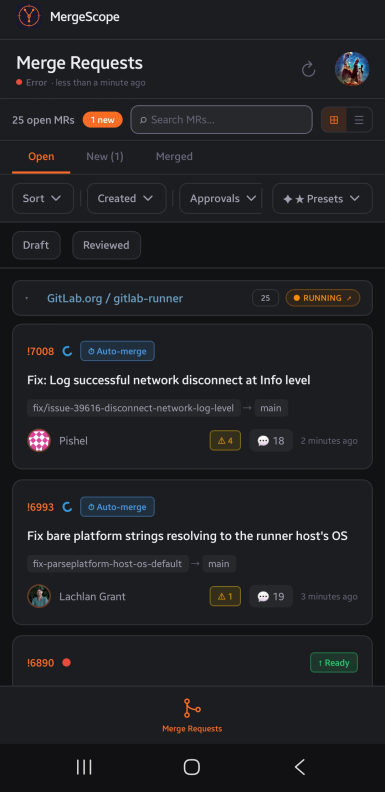
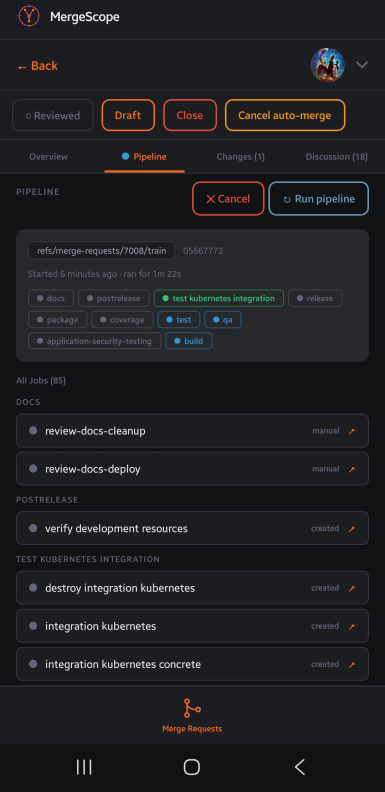
Colour-coded pass / fail / running indicators in the MR list. The detail screen shows every job with its stage and run time, including downstream pipelines triggered by bridge jobs.
💬
In-app comments (Pro)
Reply to threads and post new comments on any MR without leaving the app. Keep the review conversation moving.
😄
Emoji reactions (Pro)
React to notes with emoji reactions directly from the detail view. Quick acknowledgement without typing.
🏠
Self-hosted instance support
Works with gitlab.com or a self-managed GitLab instance, and with github.com or GitHub Enterprise Server. GitLab supports one-click OAuth or a Personal Access Token; GitHub connects via a Personal Access Token — just enter your base URL.
⚡
Merge from the app (Pro)
Tap Merge directly from the MR list or detail view. The button is gated on pipeline success when your project requires it — no accidental merges.
🌙
Dark & light themes
Three-way theme selector: follow system, force light, or force dark. Your choice is saved and syncs across sessions.
🔍
Inline diff viewer
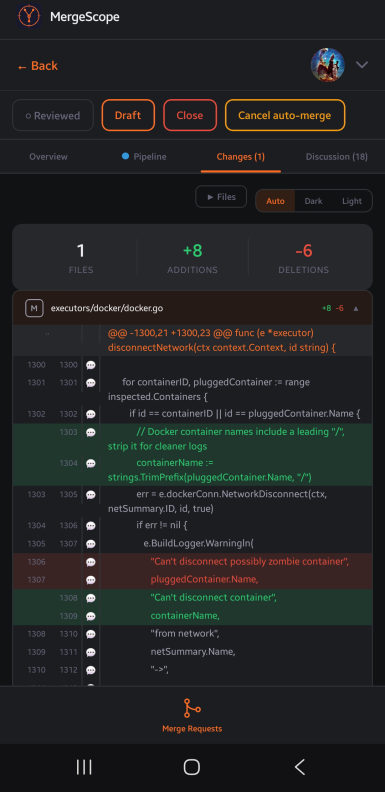
Browse every file changed in an MR with a full syntax-highlighted diff — hunk headers, line numbers, additions and deletions. Tap + on any line to post an inline comment (Pro); existing discussions appear collapsed below their line.
✏️
Markdown rendering
MR descriptions and review comments are rendered as rich markdown so formatting, code blocks, and lists display correctly.
🗓️
Advanced filtering
Filter by draft status, label, or assignee for free. Pro adds date range (Today, Last 7 days, Last 30 days) and approval-state filters, plus named filter presets for one-tap recall. Mark MRs as reviewed to track your own progress.
🔁
Pipeline retry (Pro)
Retry a failed pipeline with one tap — or drill into individual jobs and re-run just the failed ones without triggering a full pipeline rerun.
🔀
Merged MR tab
Switch to the Merged tab to browse recently merged MRs across all your projects — fetched on demand, not polled, so it never slows down your live feed.
🔕
Quiet hours (Pro)
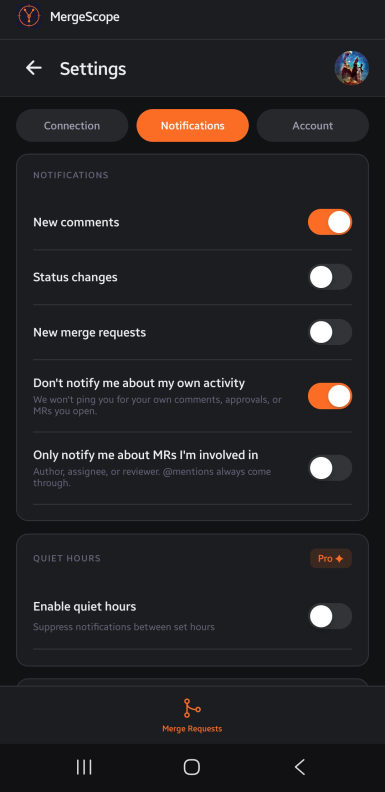
Suppress notifications during set hours — evenings, weekends, or any block of time you choose. Stay focused without missing anything when you're back.
🎛️
Per-project notifications (Pro)
Fine-tune which projects can wake you up. Disable notifications for noisy projects individually without affecting the rest of your feed.
🎯
Focused notifications
Turn off pings for your own comments, approvals, and MRs so you're never notified about your own activity. Optionally go further and only get notified about MRs you're actually involved in — @mentions always come through.